Quotes – Deposits
To learn how to add a deposit requirement to the quote approval process, see the video below. Or, if you prefer, scroll past the video to view our step-by-step text instructions.

Step-by-step instructions . . .
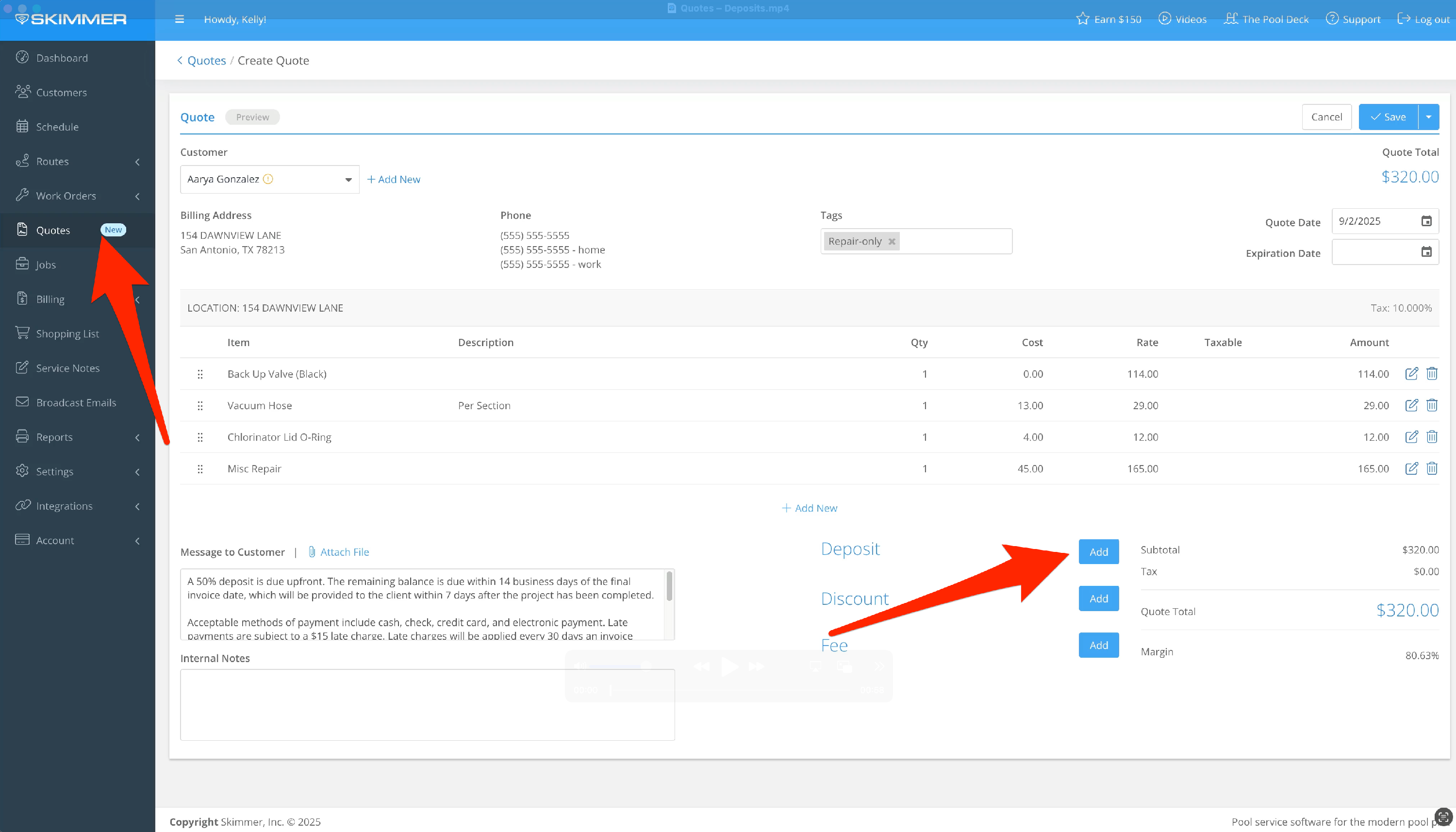
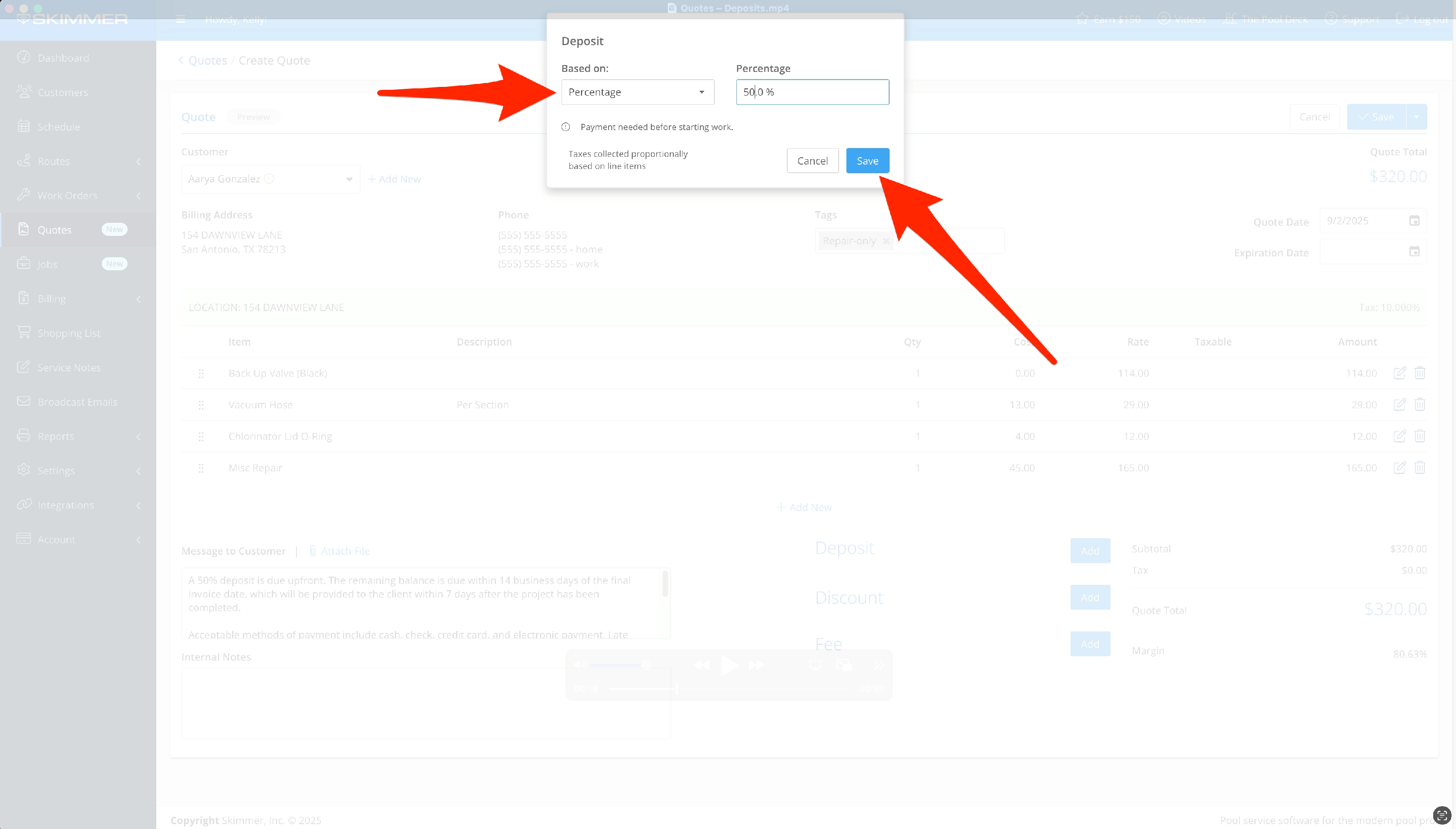
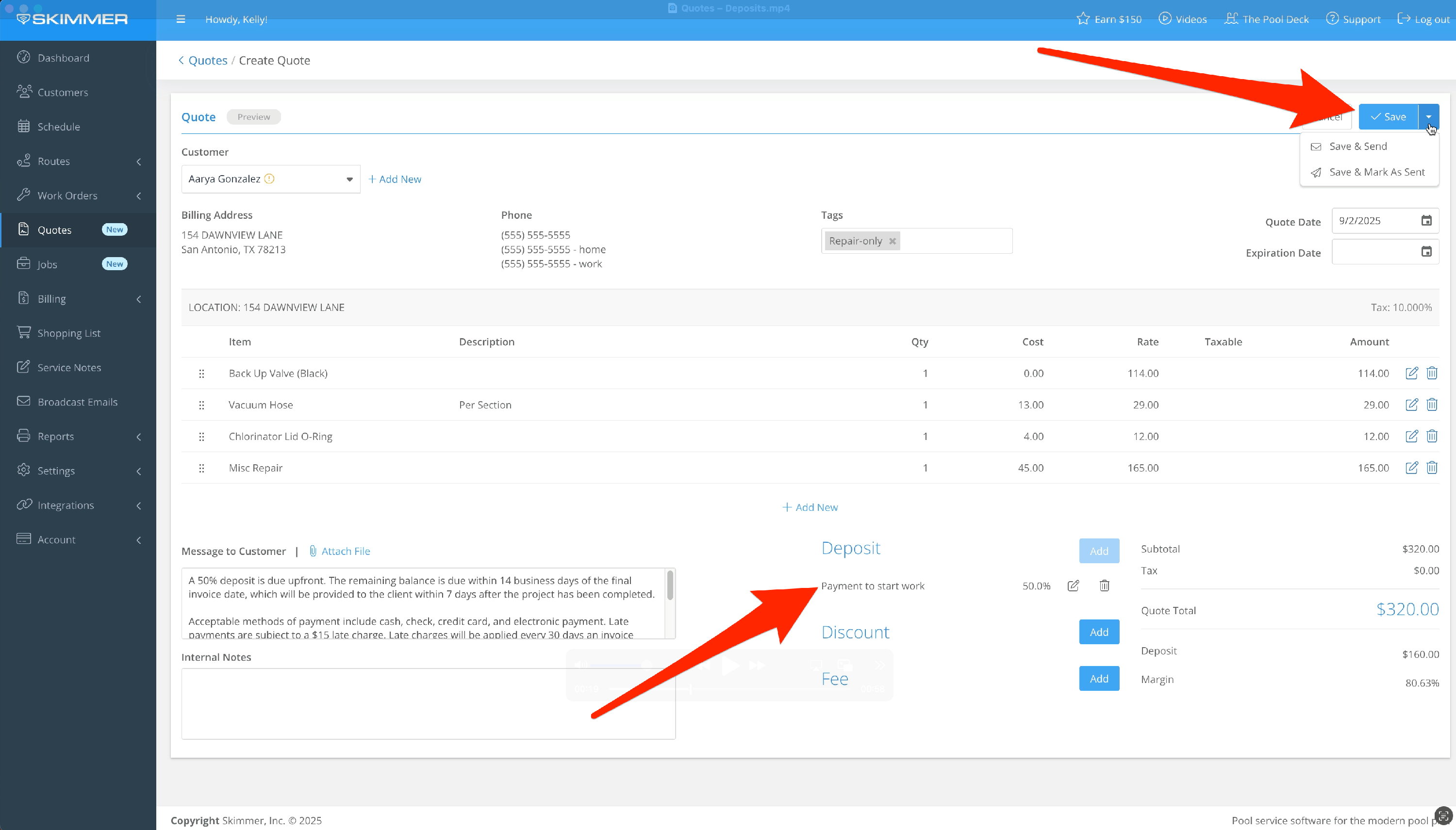
- When you create a quote, you can set a deposit amount and trigger payment on approval. Choose from a flat amount or a percentage.
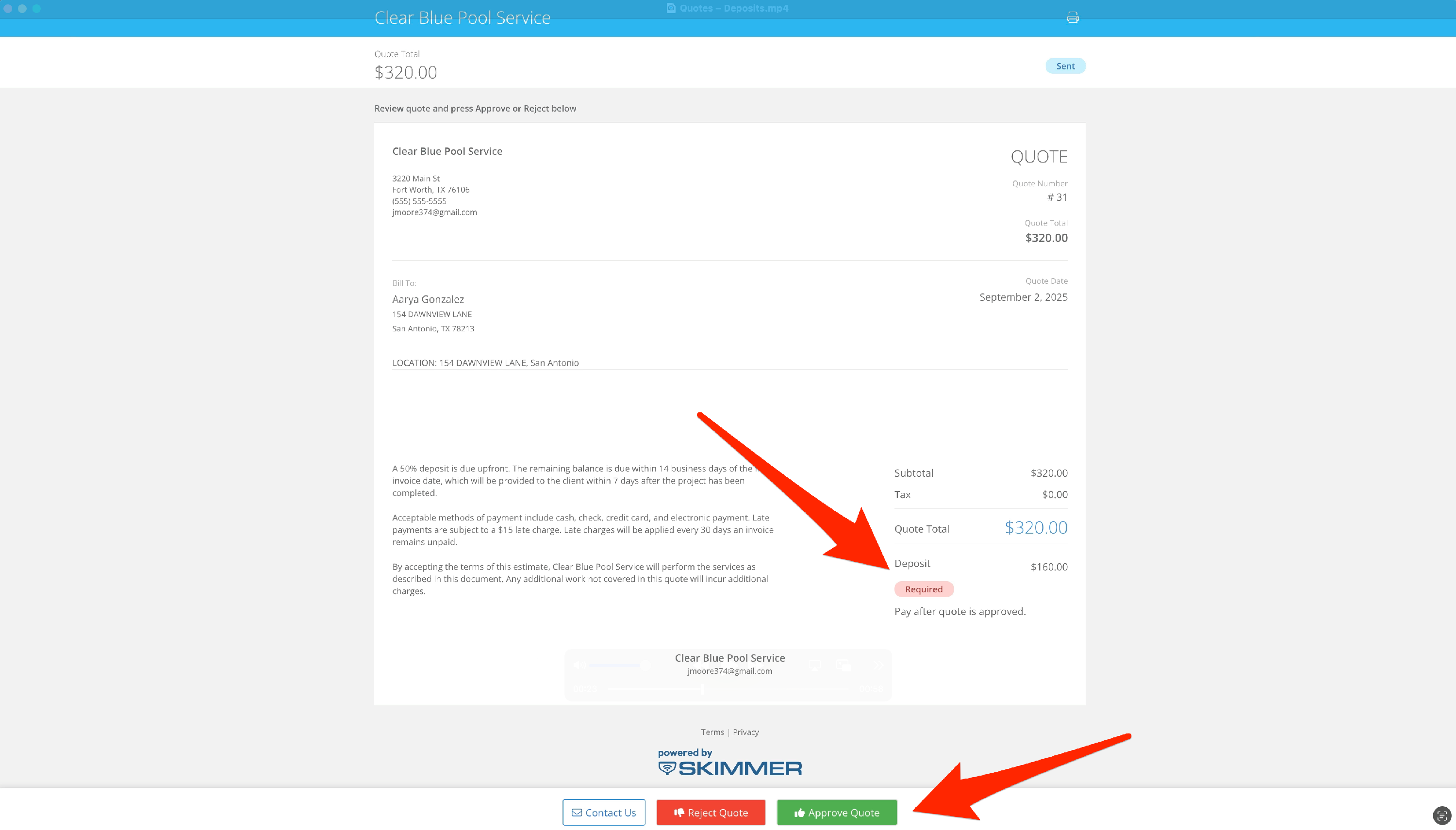
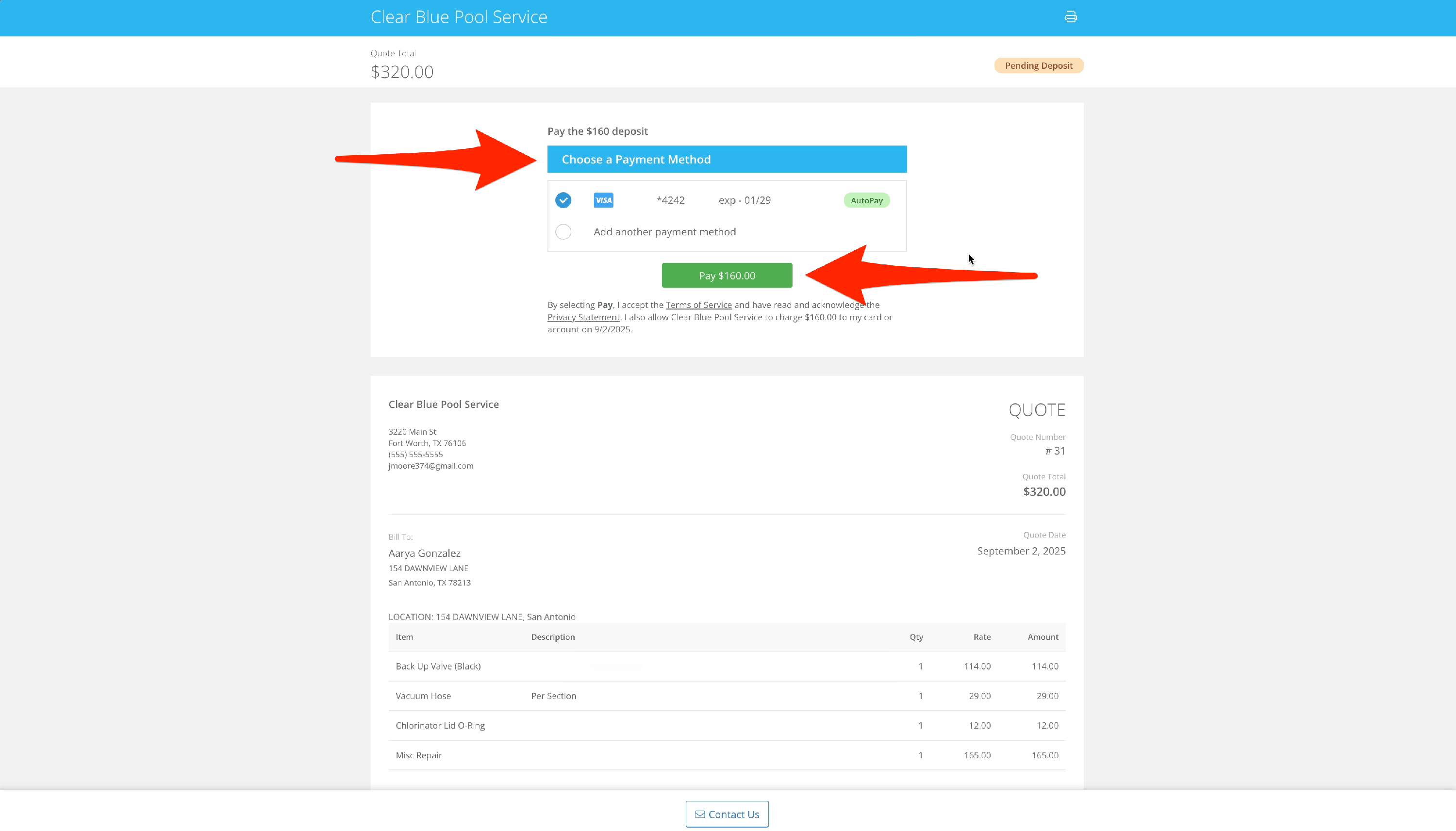
- When the customer receives the quote, they’ll see a label highlighting the required deposit. Once they approve, a payment box will appear to submit the deposit through Skimmer. Then the box will become a payment pending screen.
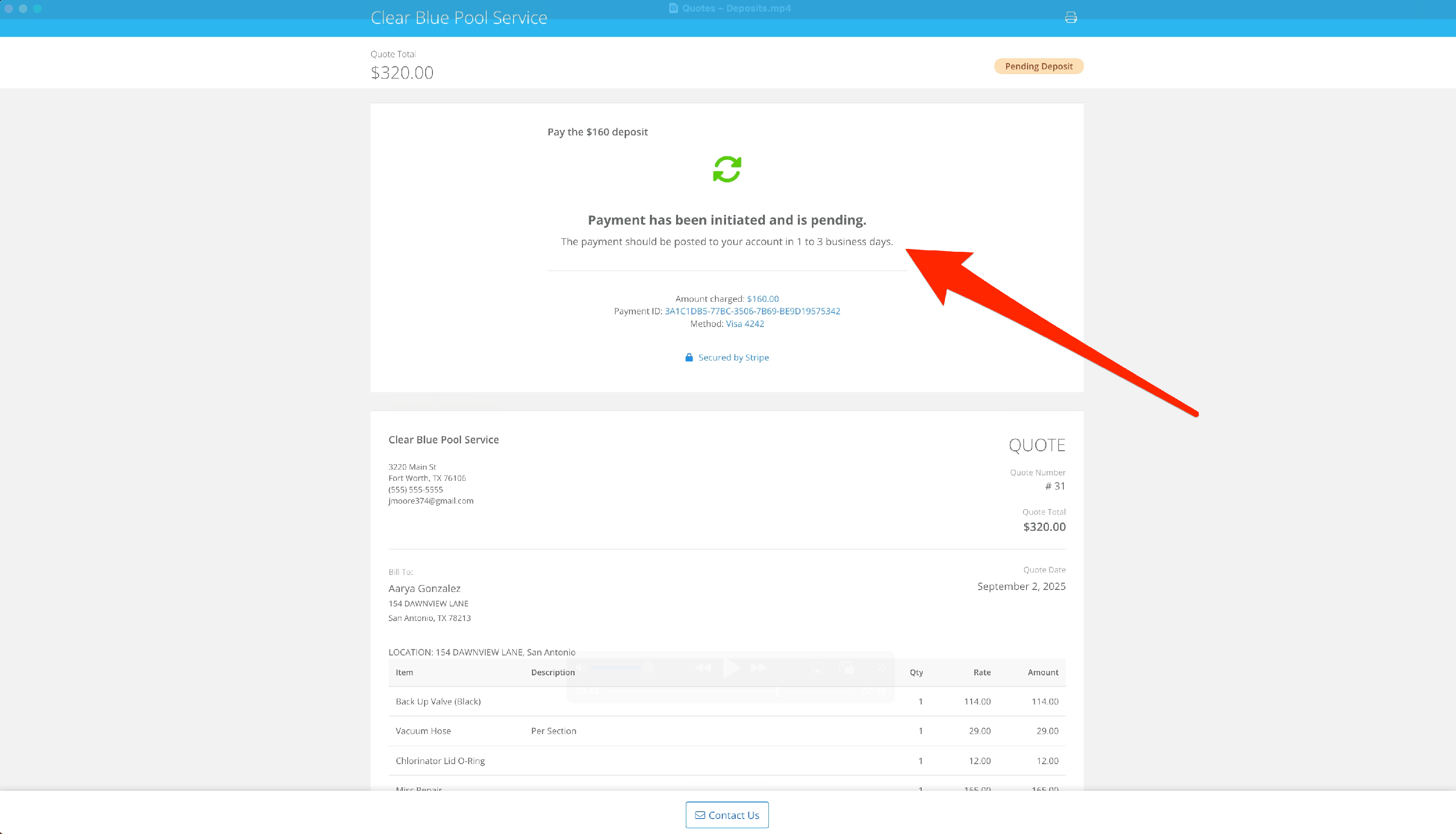
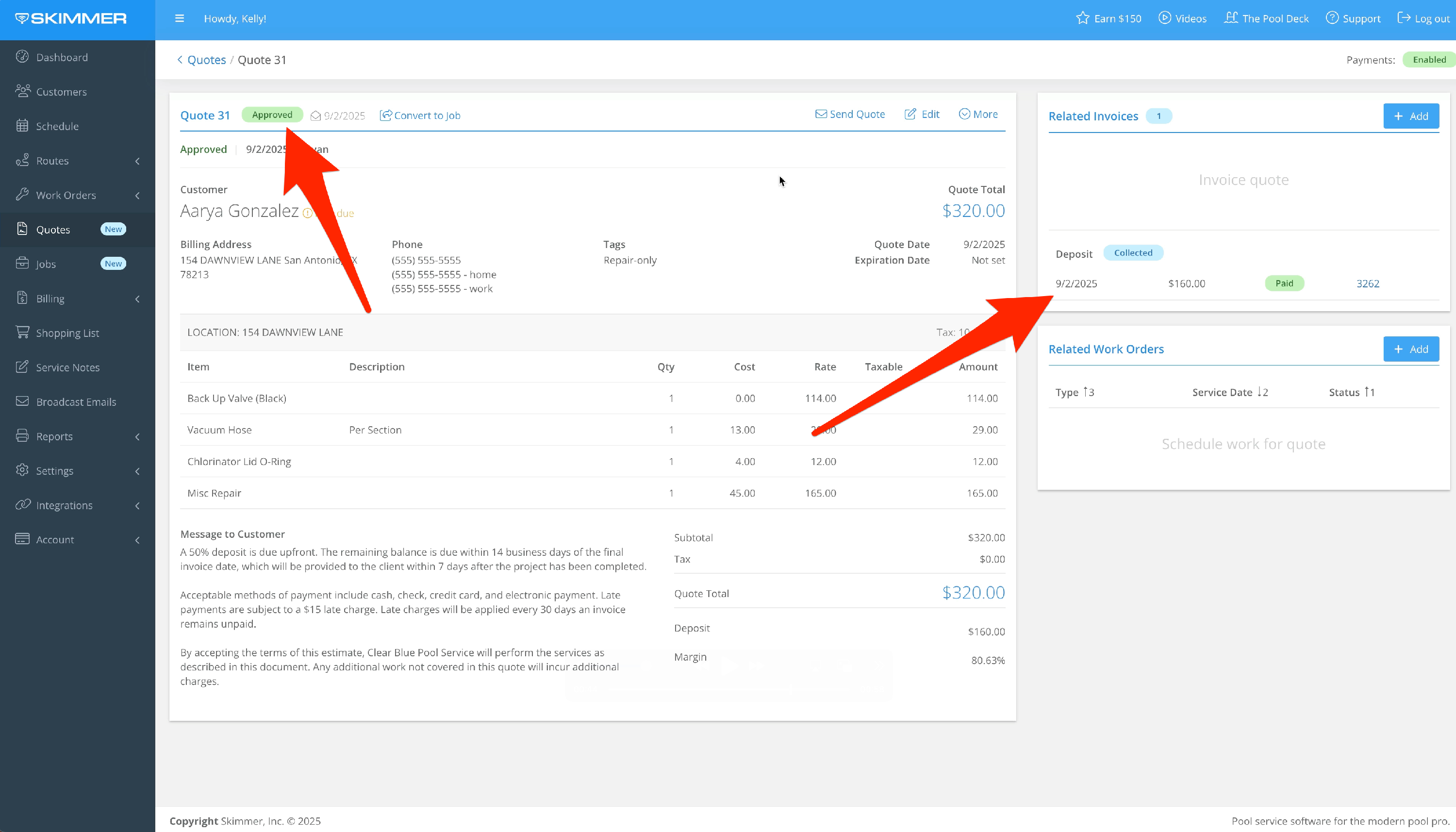
- The quote has been approved, and the deposit has been collected. Skimmer will track this, so that when you generate the final invoice, it will only bill for what remains.