
Billing – Instant Payouts
Tiers: All
Step-by-step instructions . . .
- When processing payments, company owners can choose a certain amount of funds to receive before the regular payout schedule. This functions as early access, or a loan against soon-to-be-processed payments. To access this feature, you must be logged in with the owner account. Your company must have payments enabled in Skimmer for at least 90 days, finish at least 5 stops, and process at least $2,000 worth of payments.
When the criteria are met, the Instant Payouts box will appear on the Owners' Dashboard, along with the amount you currently have available to withdraw. Note that the actual speed of the payout appearing in your bank account will depend on the processing speed of your financial institution.
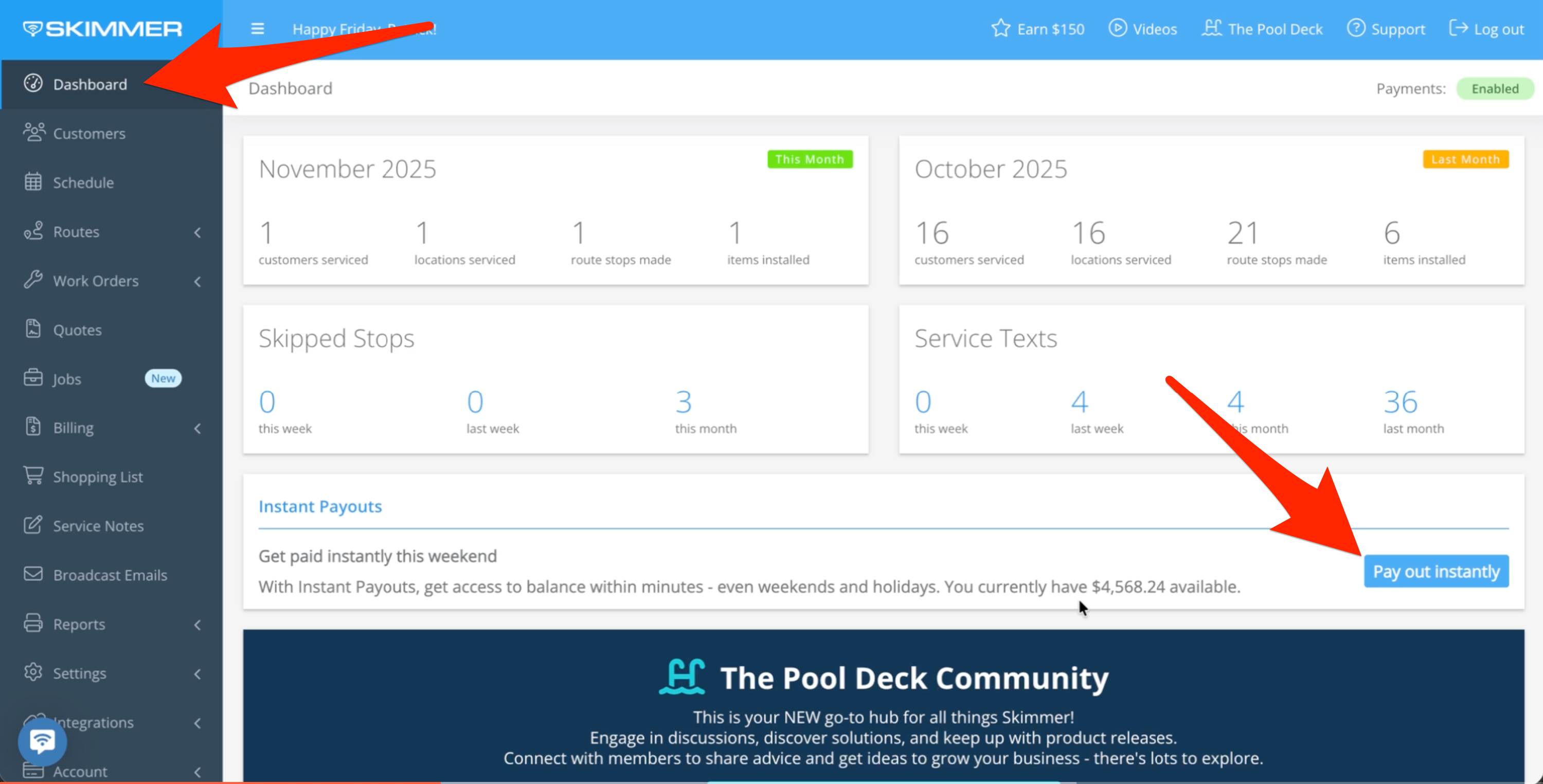
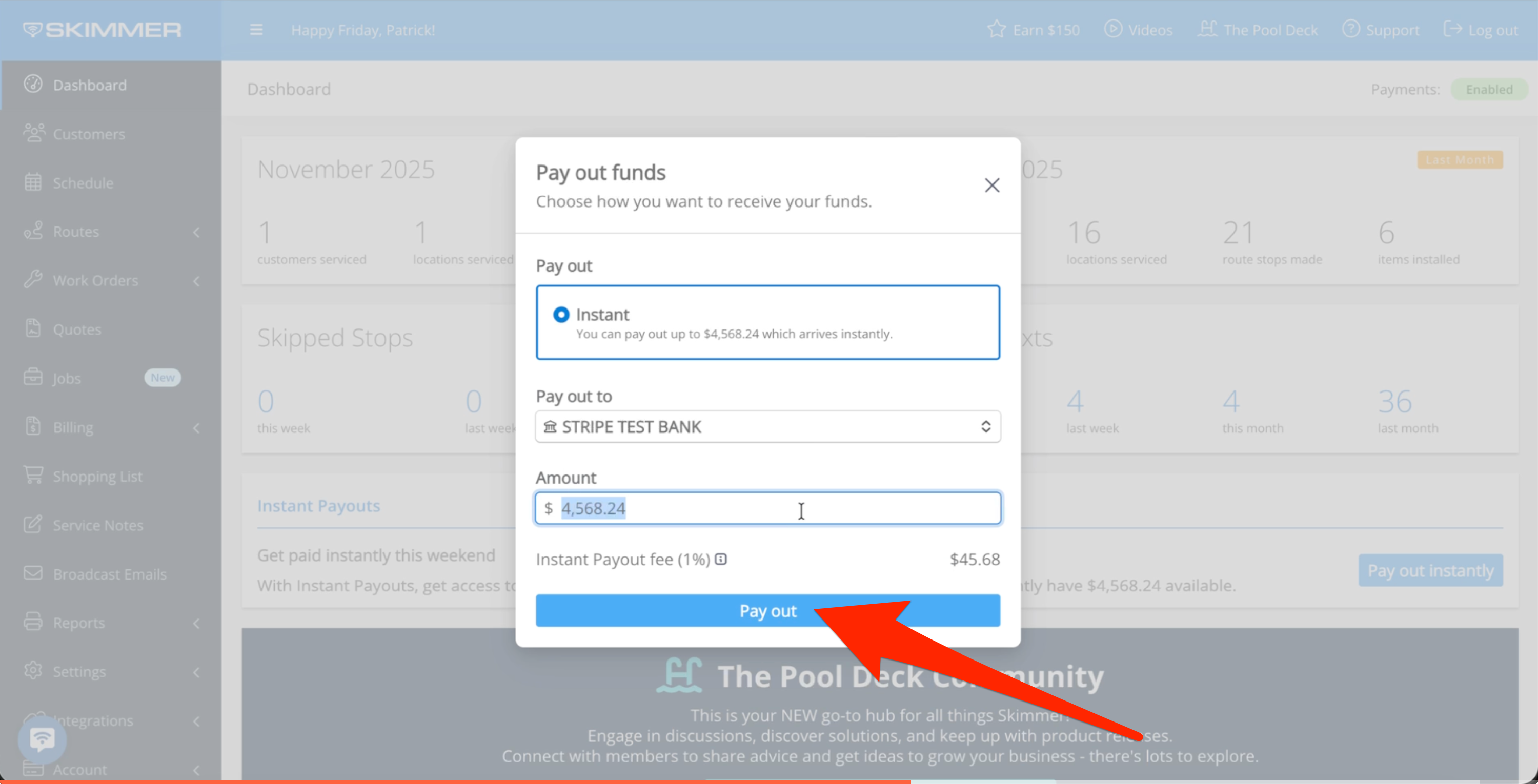
- When you click, you’ll get a pop-up showing the instant payout details, including the amount you’ve chosen and the receiving account. There is a 1% fee for the option, as this is functionally an advance or a loan. You can’t add new or remove any existing bank accounts from this screen, and there is a limit to the amount of payouts you can take at a time, which is currently two per day as long as there are funds available.
When you’re ready, click "Pay Out" and your funds will process.
- Follow this link for a list of banks that are eligible for instant payouts. Note that only bank accounts are currently eligible, not debit cards.
