
Consumer Financing (powered by Sunbit)
Watch the video or scroll down for step-by-step instructions.
Tiers: Scaling Up and Skimmer for Enterprise
Consumer financing is available in all U.S. states other than Vermont, West Virginia, and US territories, but some restrictions may apply.

Step-by-step instructions . . .
- Consumer Financing happens in two stages: 1 - Pre-approval, the pool owner pre-authorizing through Skimmer’s financing partner, Sunbit; and 2 - Using the funds approved
Both are connected to the Payments screen under Settings, where, if you’re logged in under your company’s owner account, you’ll find the toggle “Accept consumer financing.” Start by toggling it ON, and Consumer Financing options will be included in all invoices from quotes and jobs.
NOTE: Consumer financing is available only through quotes and can only be used for invoices that come from quotes and jobs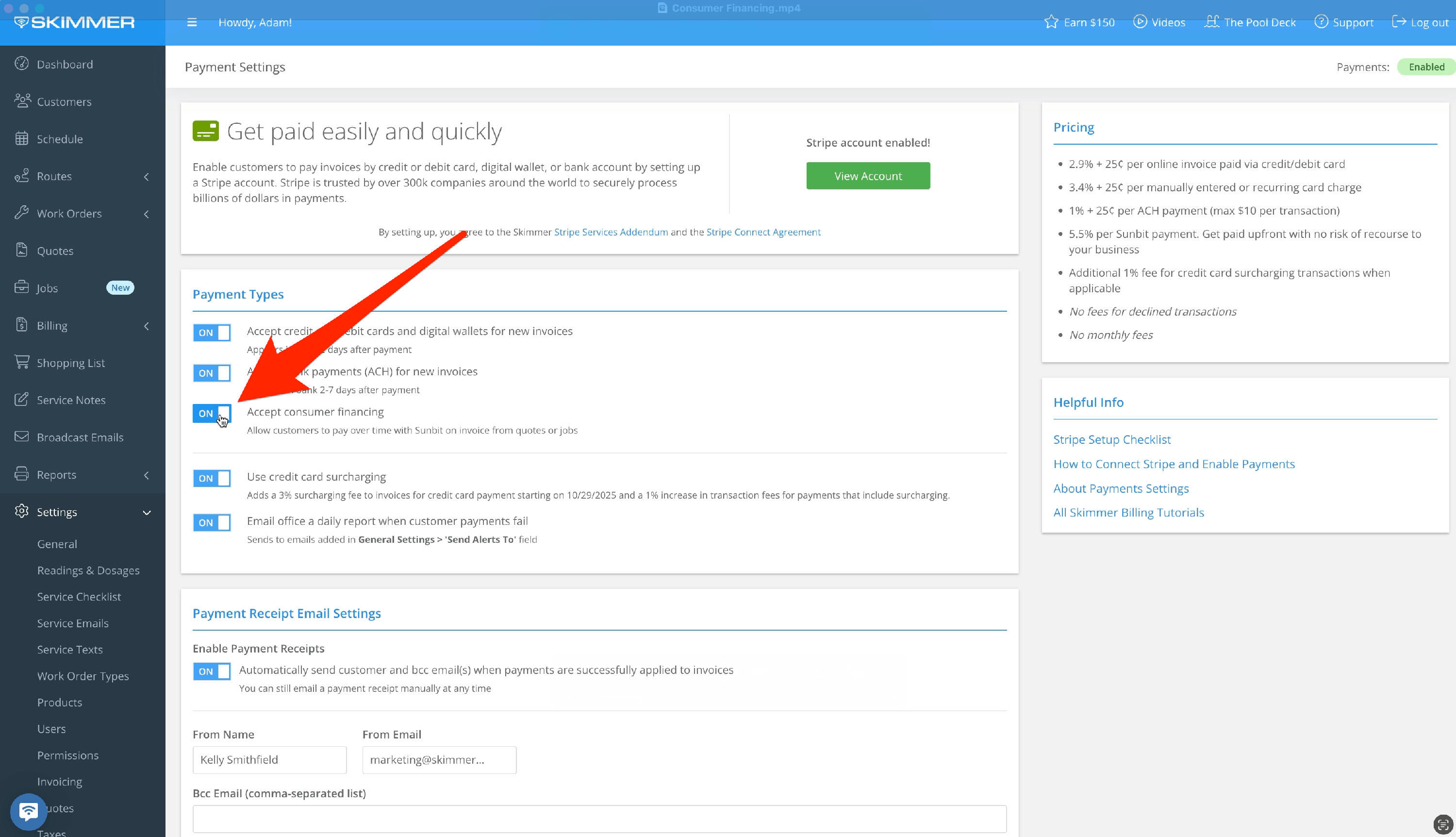
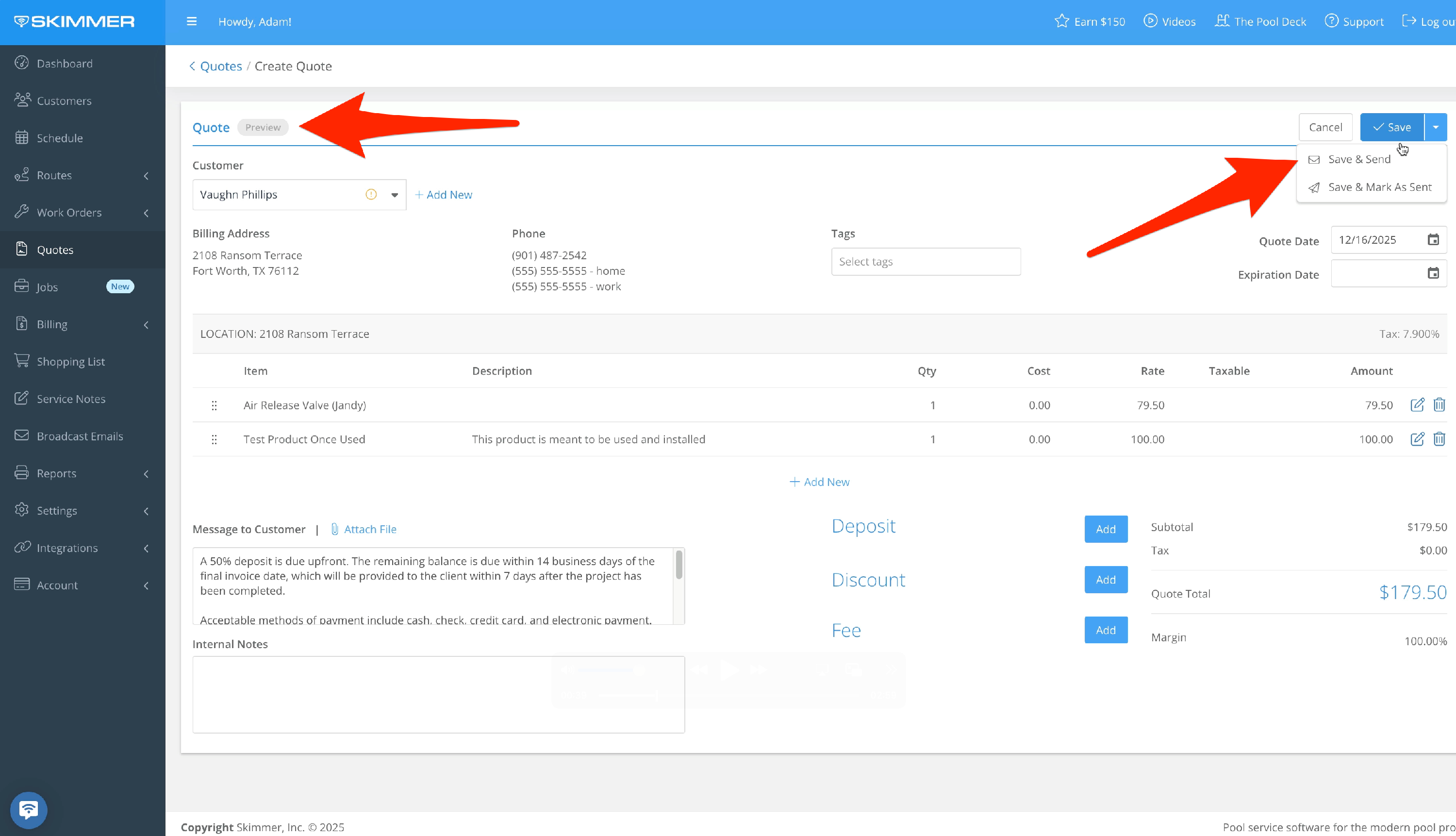
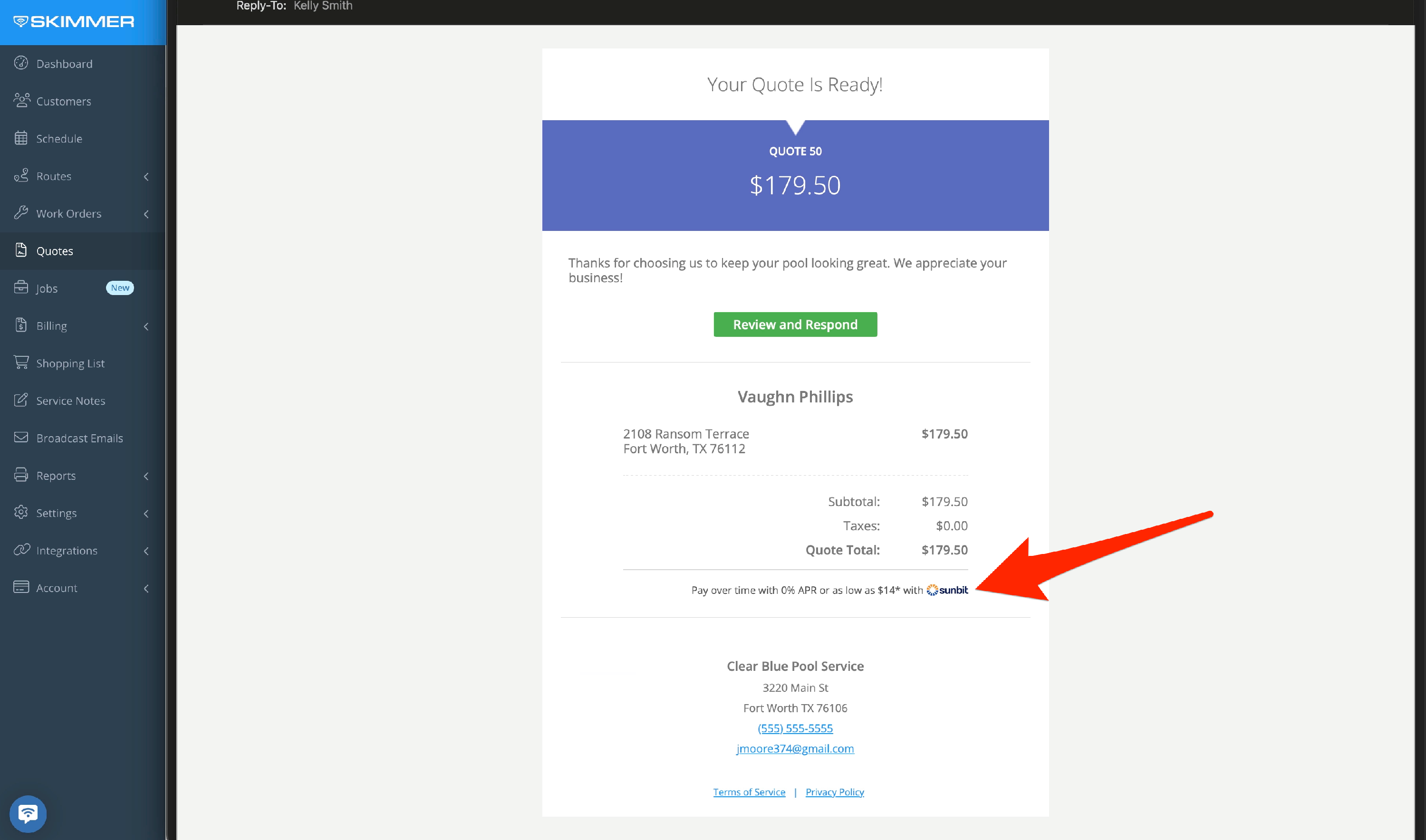
- Here we have a quote, and we’ll save and send it to the customer. The customer opens the quote, and they see a line letting them know about the ability to pay over time.
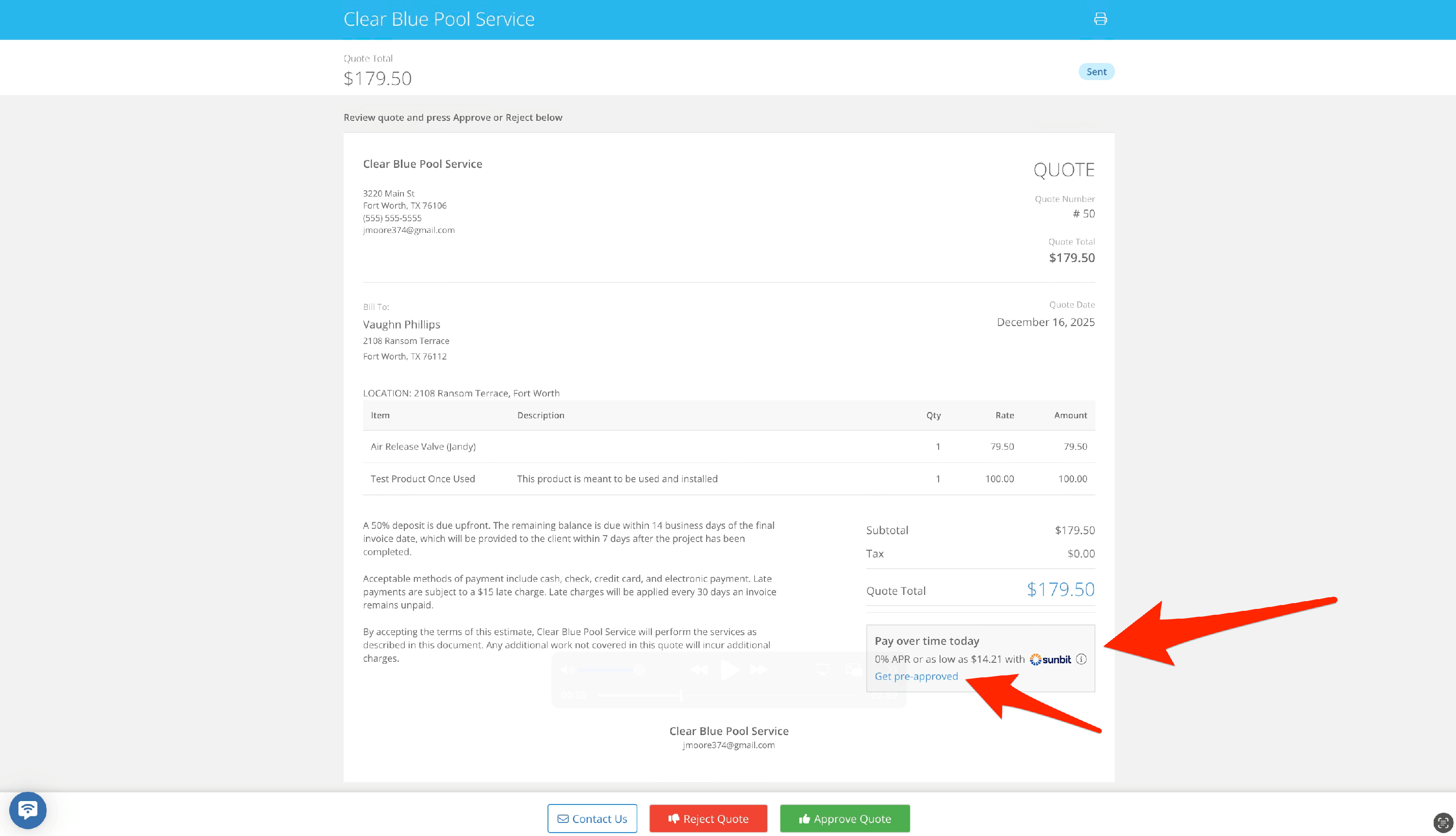
- When they click "Review and Respond", on the quote approval screen they’ll find the Sunbit box with the link to get pre-qualified. Clicking that link will take them to a new screen where they’ll walk through Sunbit’s approval process.
They’ll click "Get Started" and provide information such as phone number, email, name and address, and date of birth. Sunbit will process that information and they’ll get a confirmation screen.
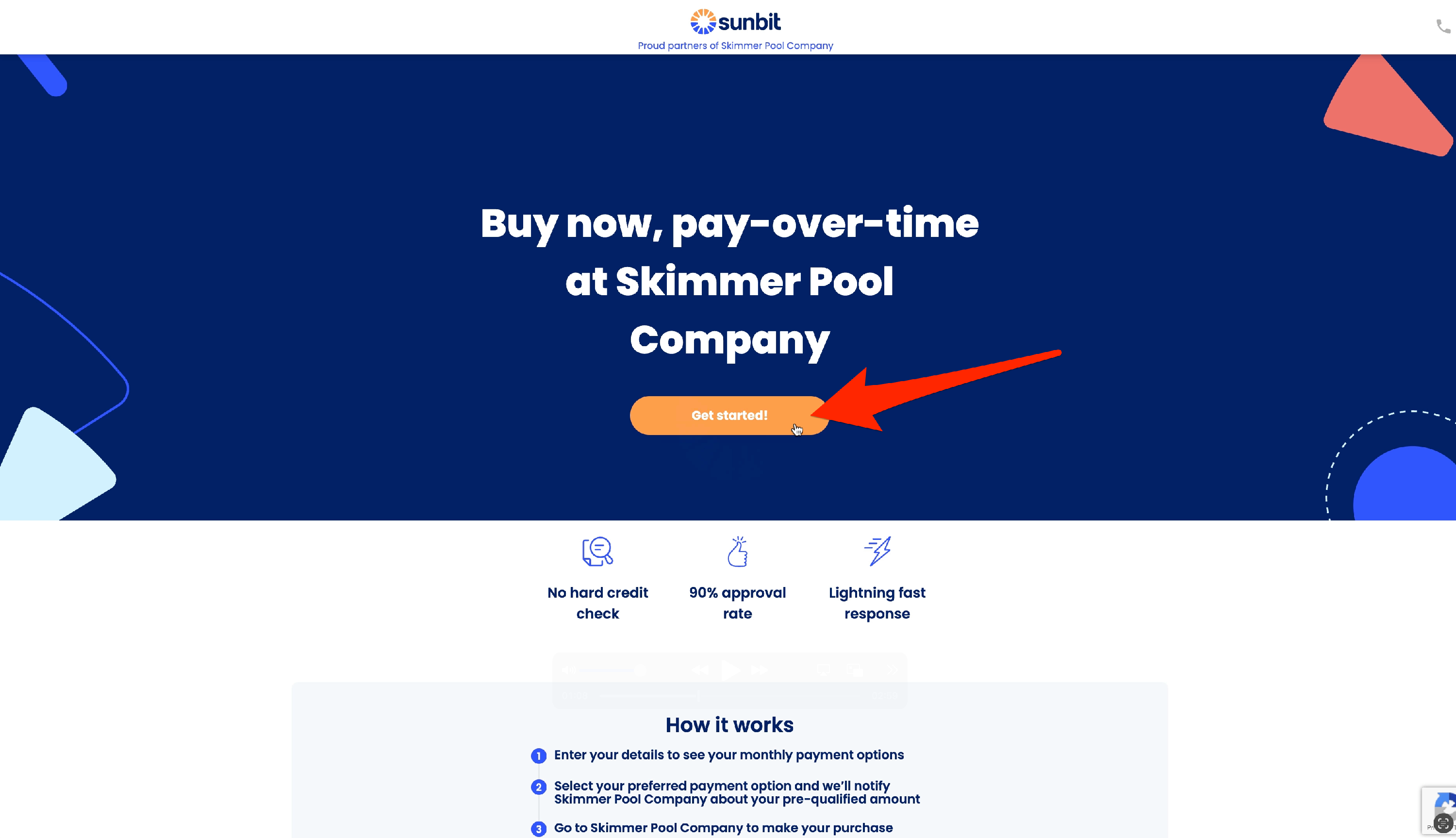
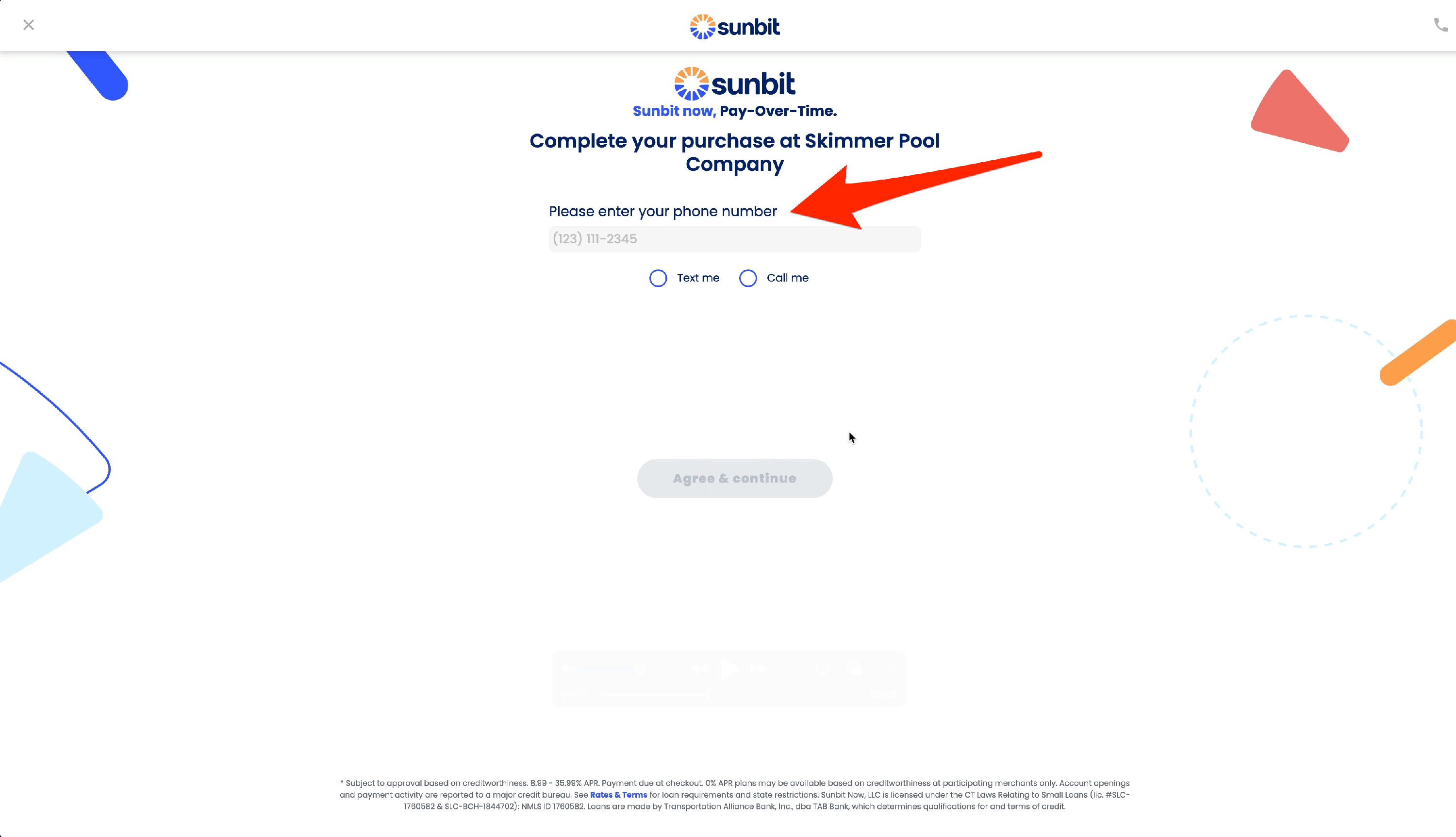
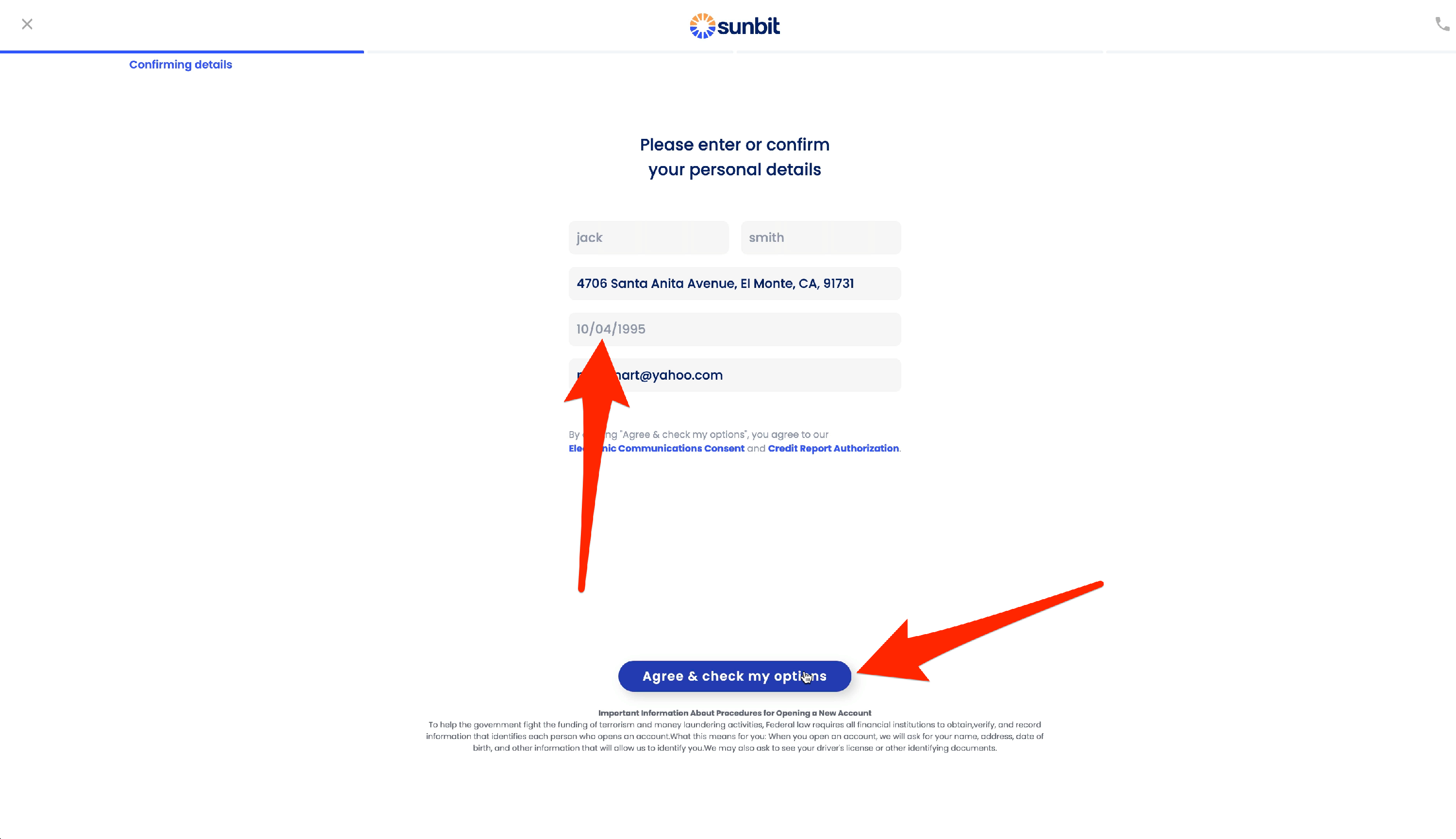
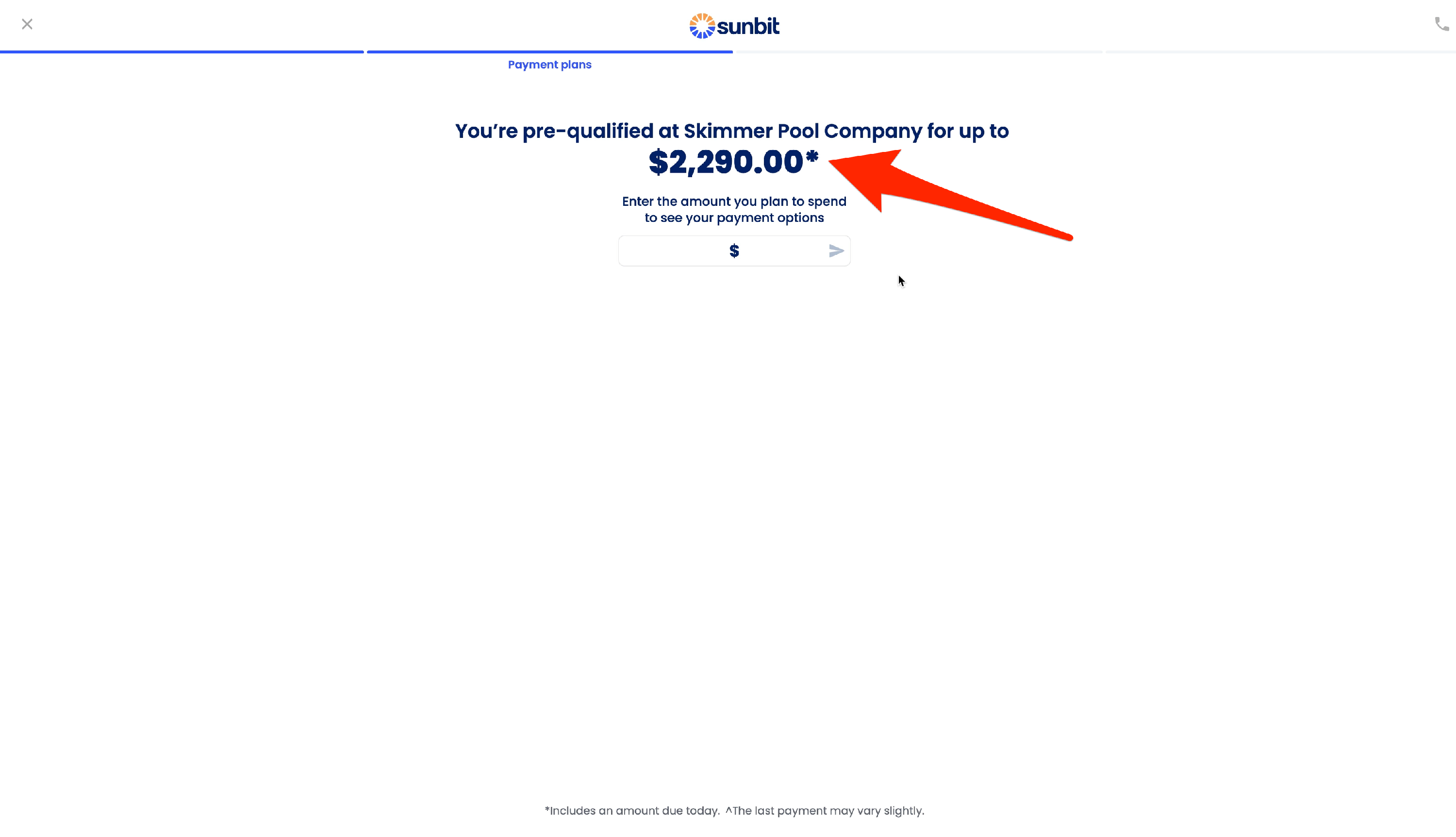
- They can then apply funds up to the pre-qualification amount to the quote. Sunbit will provide terms based on that amount, and if the customer wants to move forward, they’ll click "Done" and continue with the payment process.
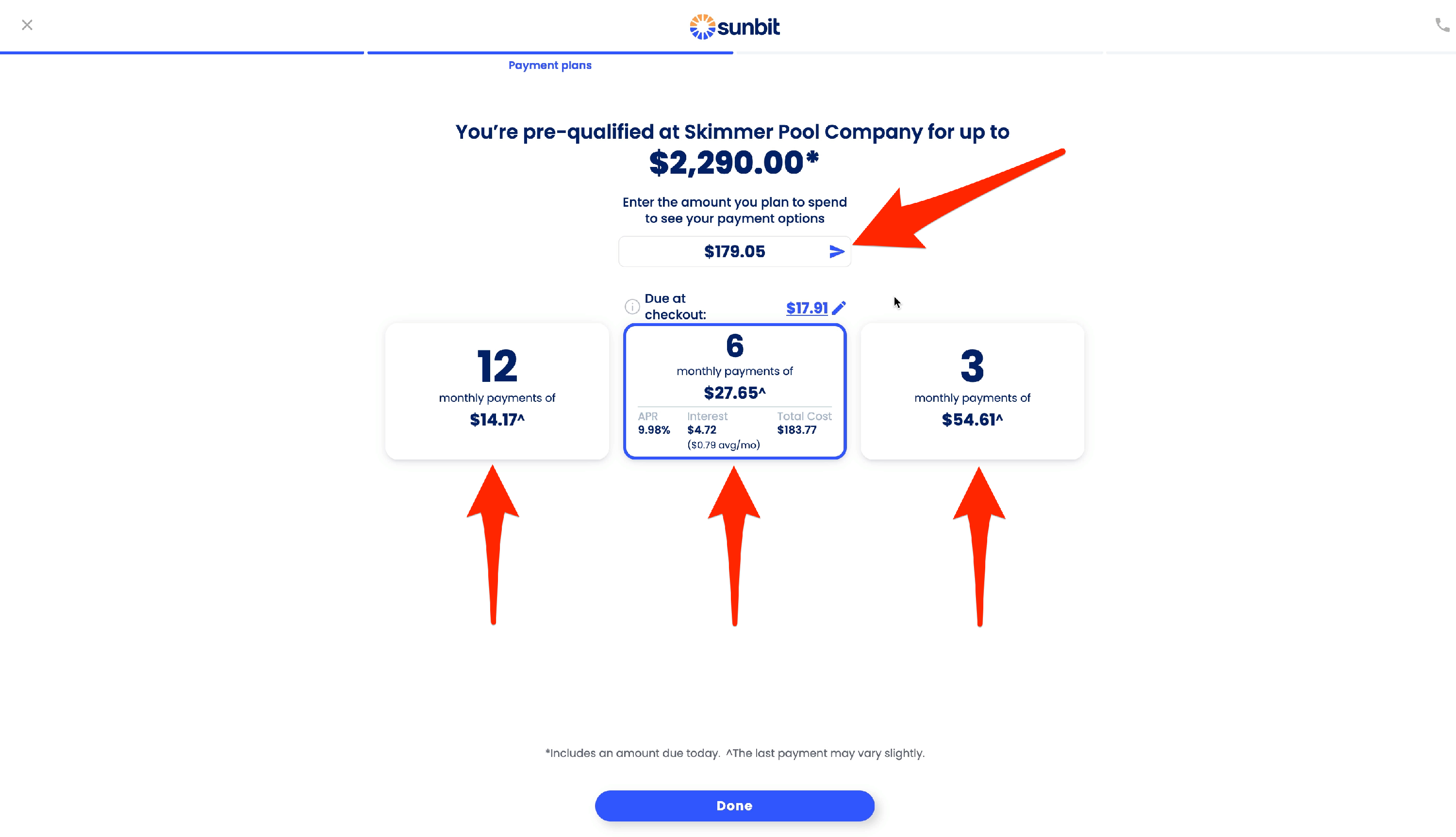
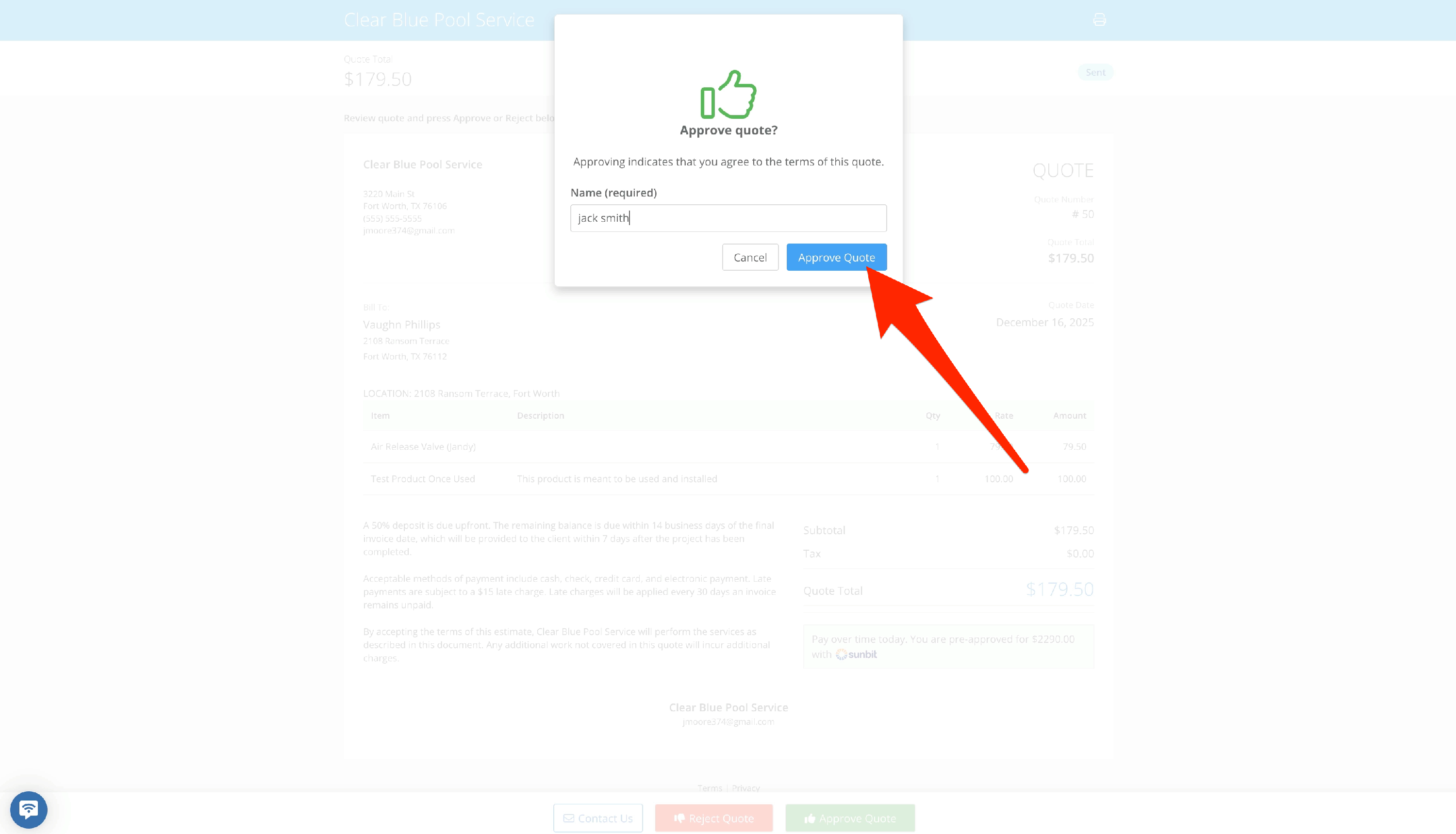
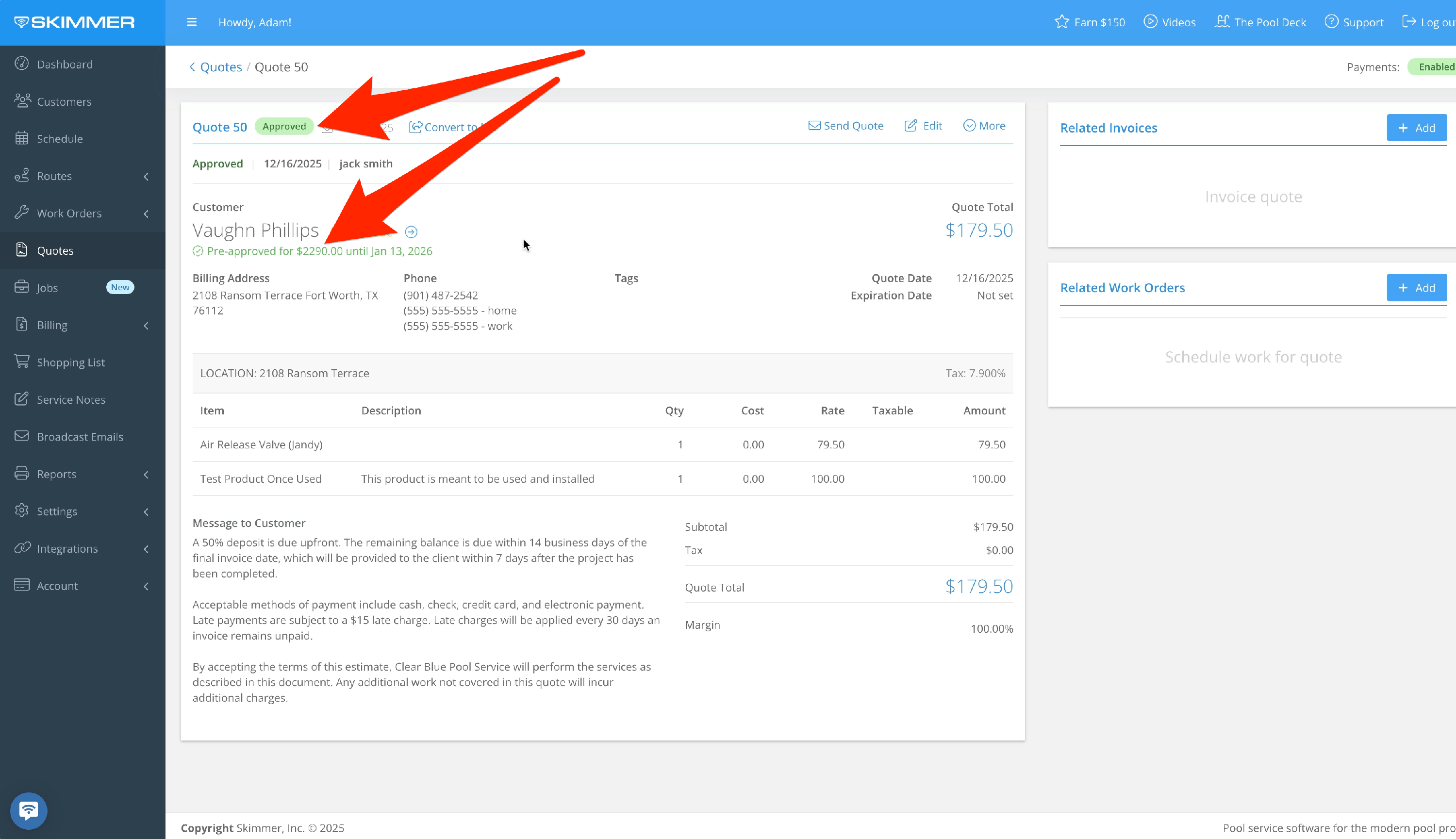
- They also have the option of getting pre-qualified but not submitting payment yet. The customer will approve the quote, and you can see that the quote has been approved, and that your customer has been pre-qualified for financing. If a deposit is required, it must be paid via the customer’s regular payment method, as they have not yet selected the consumer financing method.
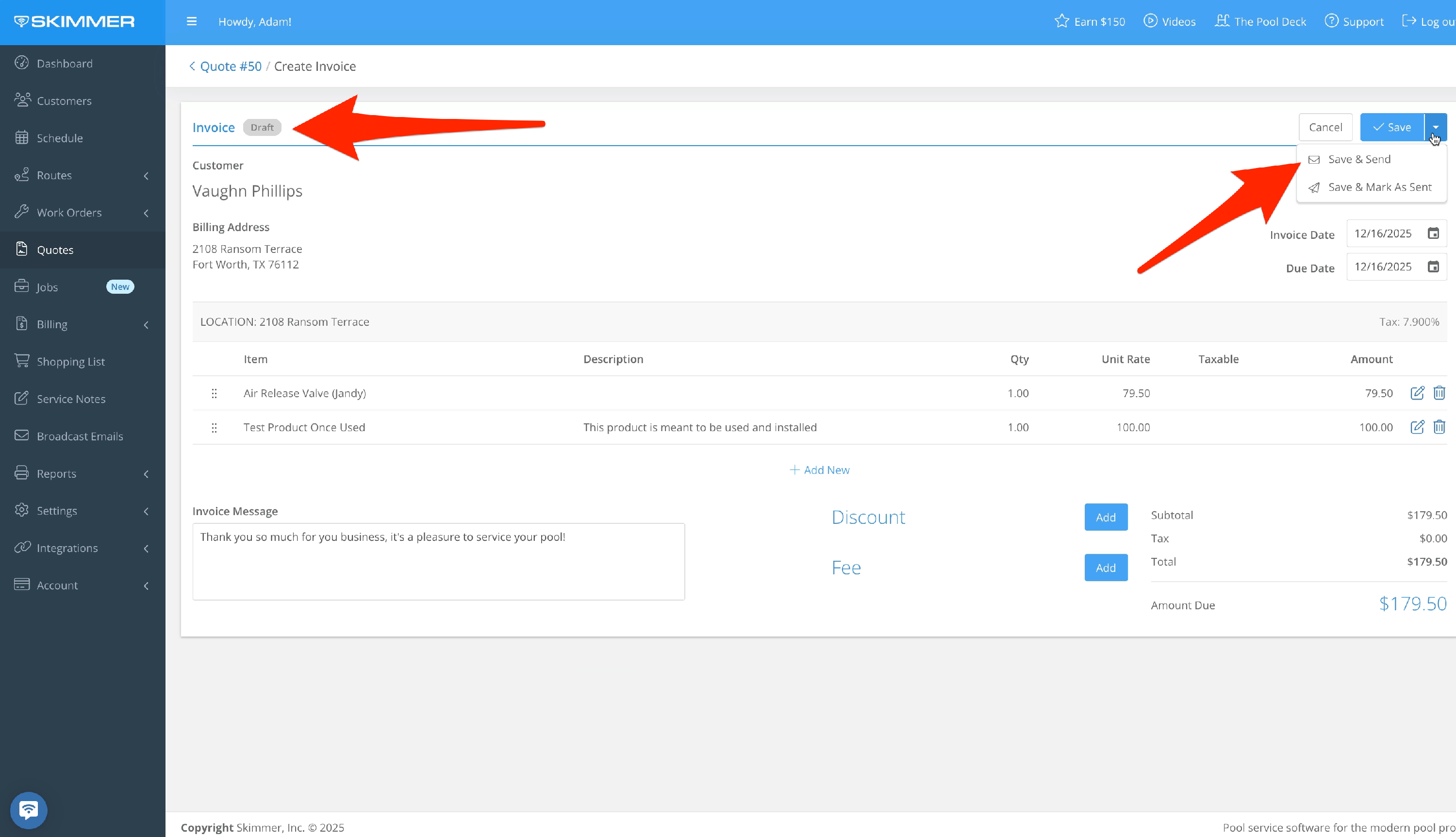
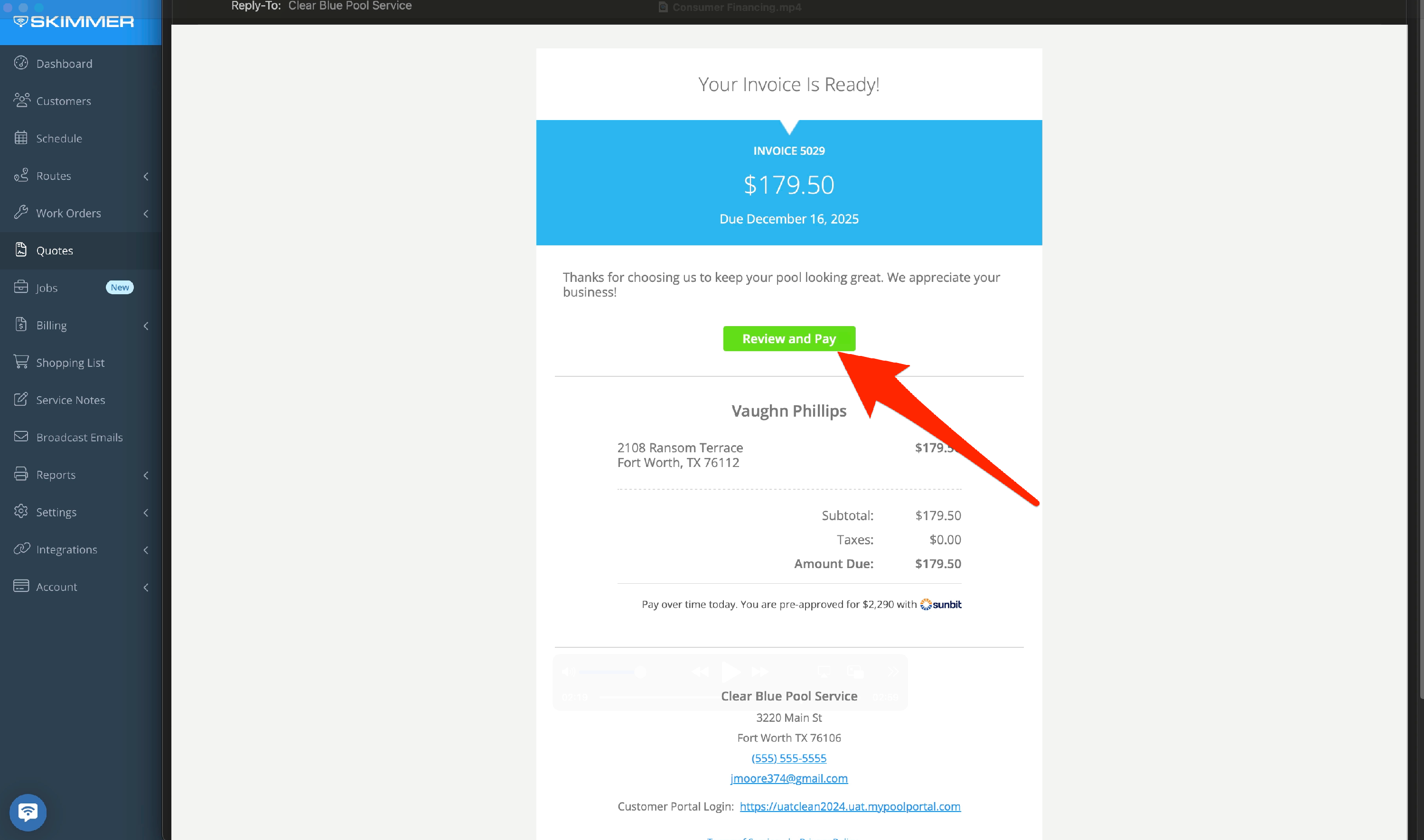
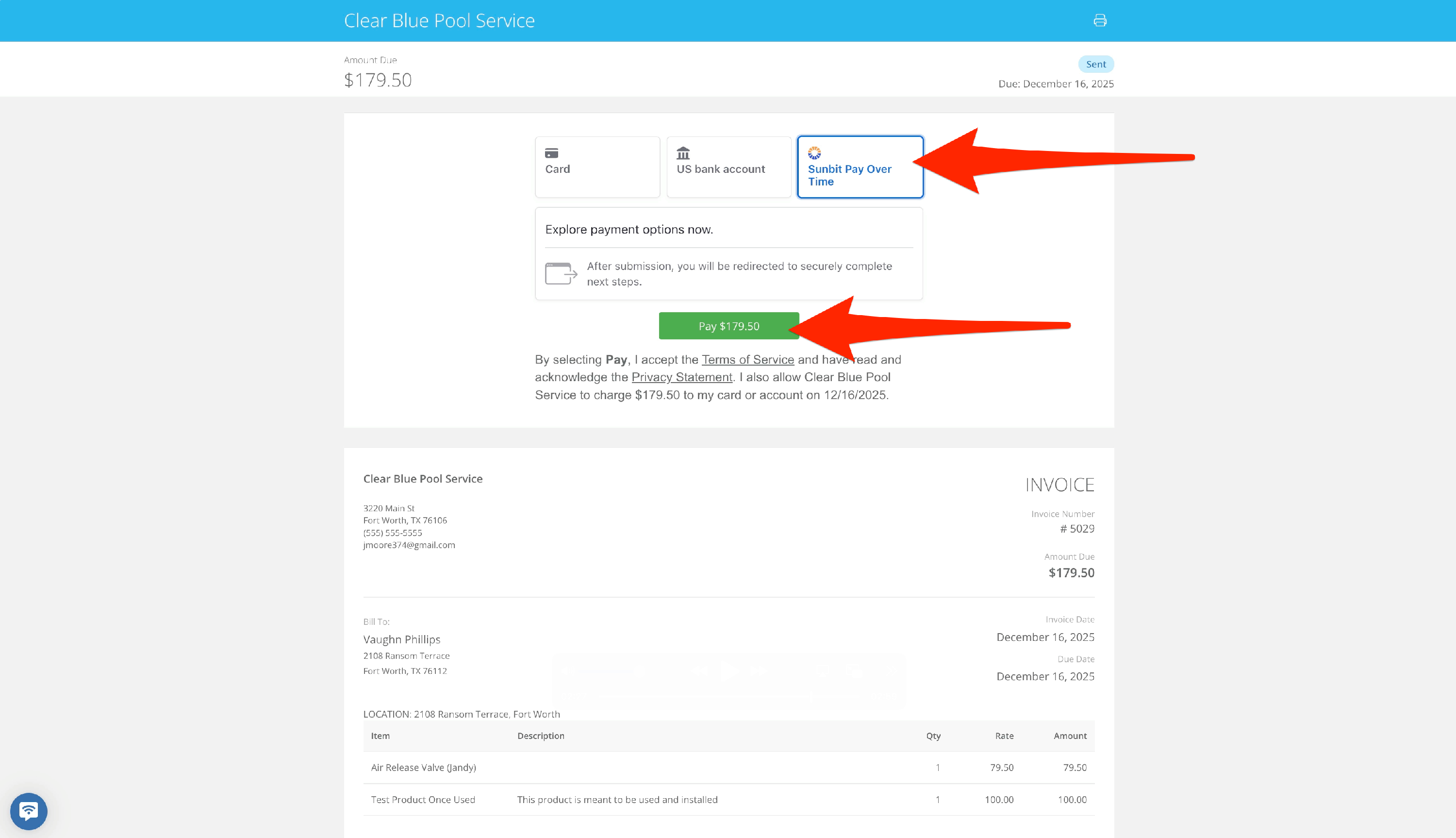
- Fast forward to the work being done. You’ll create the invoice from the quote and send it. When the customer views the invoice, they will see a new Sunbit payment method available. If they’re pre-qualified, they’ll click “Pay” and return to a pre-qualification confirmation screen. There, they customize the payment amount and method and agree to the terms, then click “Done” to pay the invoice. If they haven’t gone through pre-qualification, they can do that at that stage and then proceed to payment.
In Skimmer, you’ll see that the full invoice has been paid, minus the 5.5% fee. As the pool pro, the transaction is now complete. Going forward, the customer will make their payments for this work directly to Sunbit.
*3- month 0% APR plans for all approved customers. 6- through 18-month plans with interest are also available. Subject to approval based on creditworthiness. Account openings and payment activity are reported to a major credit bureau. Loans are made by Transportation Alliance Bank, Inc., dba TAB Bank, which determines qualifications for and terms of credit.
Visit the page below for frequently asked questions about consumer financing
CONSUMER FINANCING FAQS
