
Credit Card Surcharges - FAQ
Credit Card Surcharging: Everything You Need to Know
Surcharging lets you pass credit card processing fees to customers who pay by card. This article covers how it works, where it's allowed, what customers see, and how to set it up.
In this article:
How It Works
What is surcharging?
Surcharging adds a small fee to credit card transactions to offset processing costs. When surcharging is on, Skimmer adds a 3% surcharge to a customer payment made with a credit card. Debit cards, ACH, and check payments are not surcharged.
How much of my card processing costs will I recover?
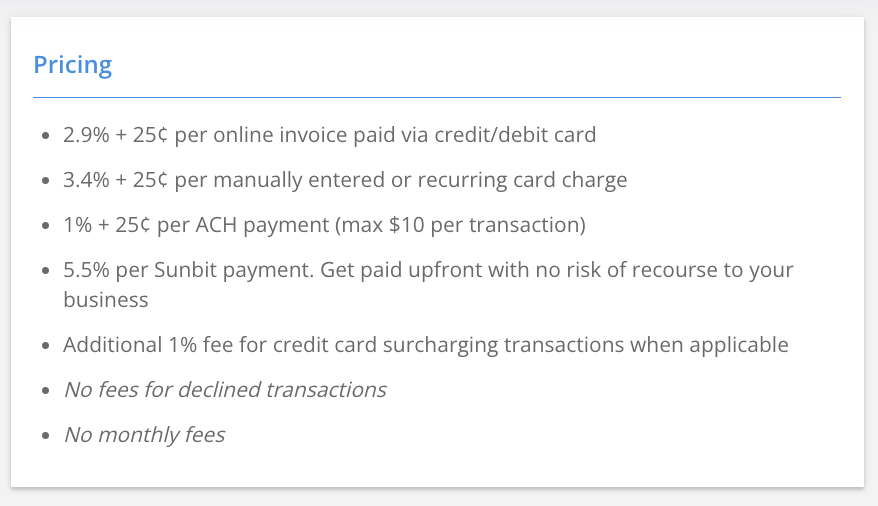
Your customer pays 3% on card transactions (the maximum allowed by card networks). Skimmer keeps a 1% program fee — this funds ongoing card-network compliance, monitoring, and support. Everything else goes back to you.
Full breakdown:
- What the pool owner pays: A 3% surcharge is added to every credit card transaction. That 3% is the maximum allowed by the card networks.
- Why Skimmer charges the additional 1%: The 1% program fee funds compliance, registration, monitoring, and support — the behind-the-scenes work that keeps the program legal, up to date with card-brand and state rules, and safe from the fines that come with non-compliance.
- Your standard Skimmer processing still applies: 2.9% for customer-initiated payments and 3.4% for Autopay.
How does surcharging show up on the invoice?
Before your customer pays, they see a disclaimer on the invoice letting them know a surcharge applies if they choose to pay with a credit card.
Where does Skimmer support surcharging?
Skimmer does not currently support surcharging in Minnesota, New York, Maine, Massachusetts, and Connecticut.
Do I need to notify customers before I start collecting surcharges?
Most customers appreciate a heads-up notice rather than seeing the surcharge for the first time on an invoice. Skimmer provides 3 templates ready to go — see our customer email templates.
Set Up Surcharging
How do I activate surcharging?
Go to Settings → Payments → Activate credit card surcharging.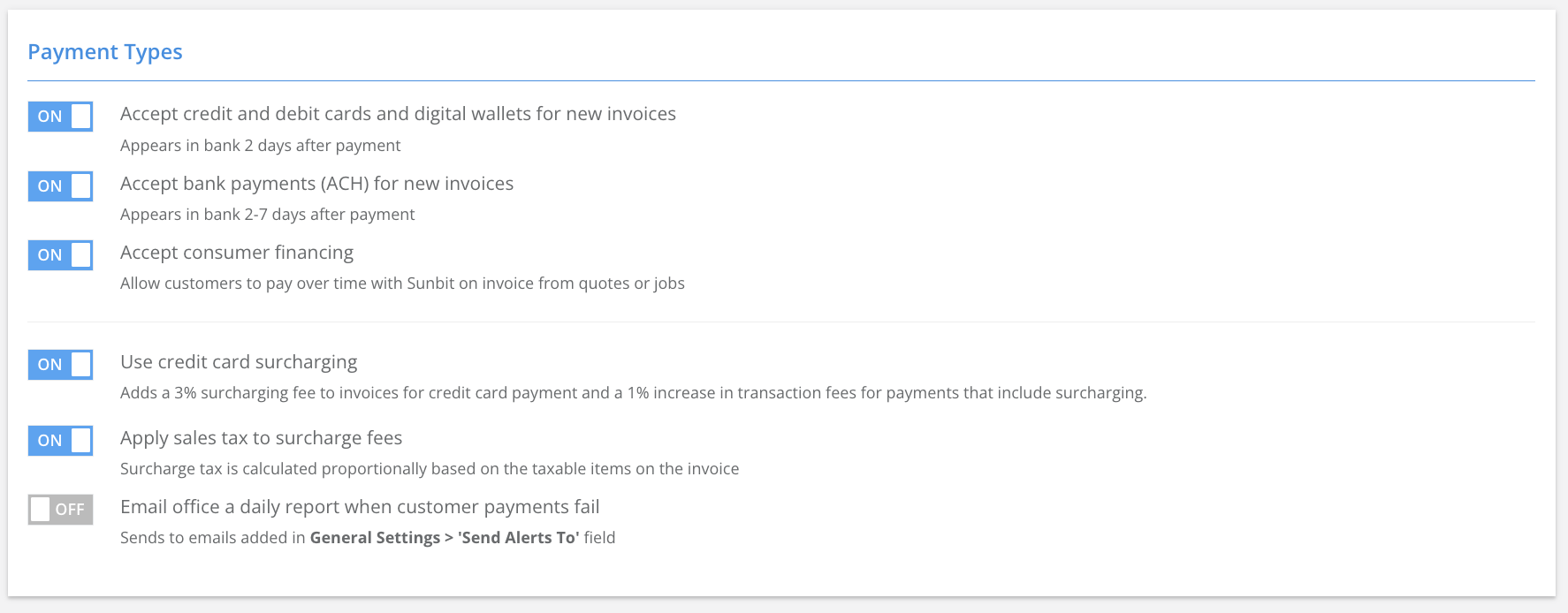
Can I turn it off later?
Yes, any time, from the same Payment Settings page.
Customer Experience
Can a customer switch to a different payment method to avoid the surcharge?
Yes. When they open the invoice to pay, they see the surcharge disclaimer, and they can add or select a different payment method before submitting.
What if I want to communicate with customers before activating?
Sending a heads-up email helps set expectations and reduces the chance of an unexpected line item catching a customer off guard. See our customer email templates.
Does this integrate with QuickBooks Online?
Yes. Skimmer's QBO integration automatically creates a service for the surcharge in your connected QBO account.